
Overview & live performance
CPU, memory, disk and battery readings that update live, with Line, Bars and Area views.
Features
A practical toolkit for understanding your Mac, with clear limits for every reading and action.
Mac Face Unlock Pro & Lifetime
Look at your Mac and it unlocks, like Face ID on a phone. Face Unlock runs on macOS 15 or newer, recognises you on this Mac only, and types your password for you at the lock screen.
Try it 14 days for €1 See plans
Face Unlock is not in the Free plan. Pro and Lifetime include it.
New in this version
The newest sysZivo, as it looks on your Mac today.
Quick Wins
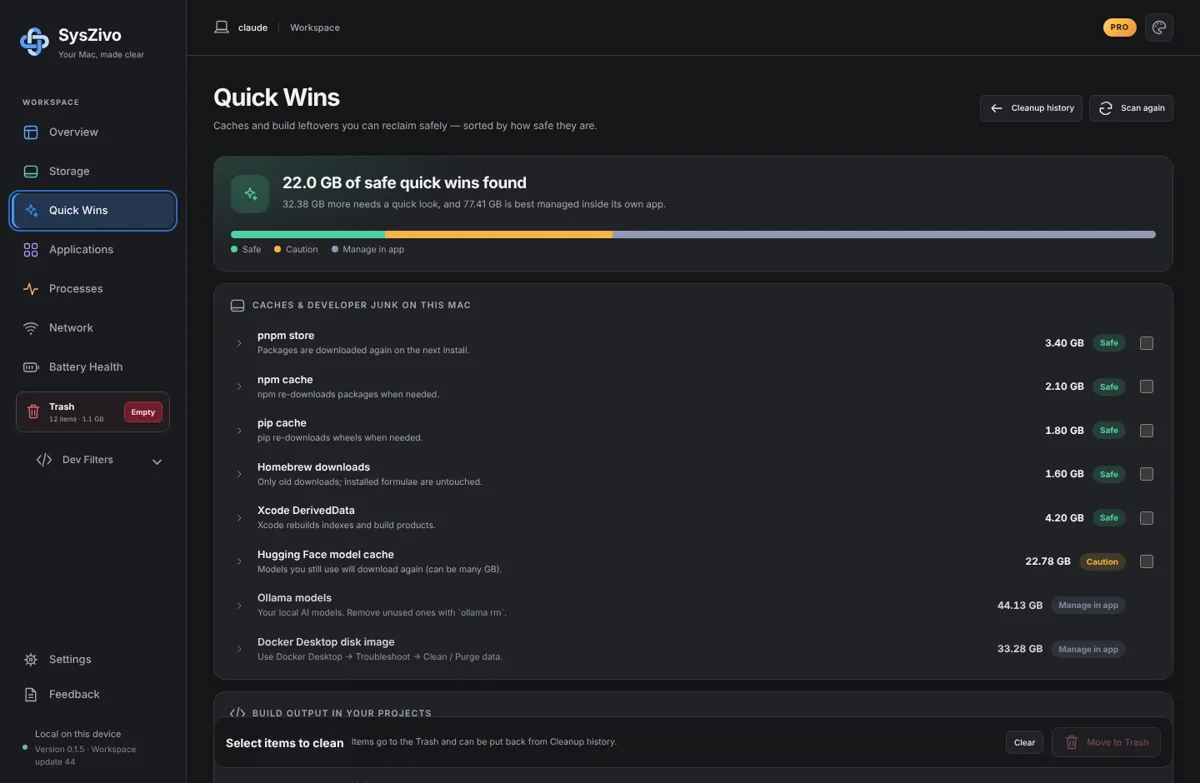
Caches and build leftovers, sorted by how safe they are. Review the list, tick what you want gone, and it goes to the Trash so you can put it back from Cleanup history.
File Recovery
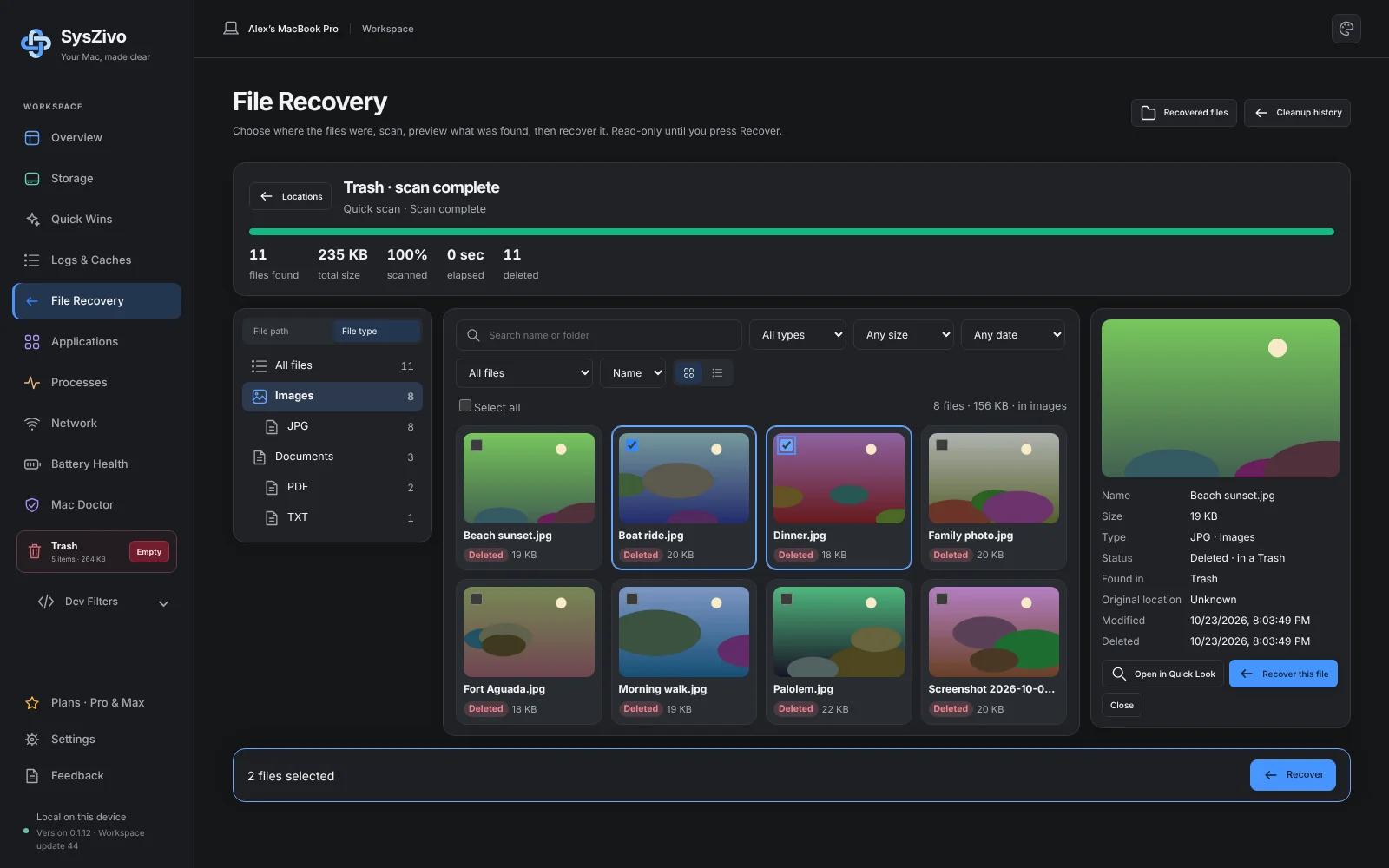
Scan the Trash or a Time Machine backup, preview what was found as thumbnails, and recover only the files you pick. Recovery copies files out and never writes to the drive you scanned.
App updates
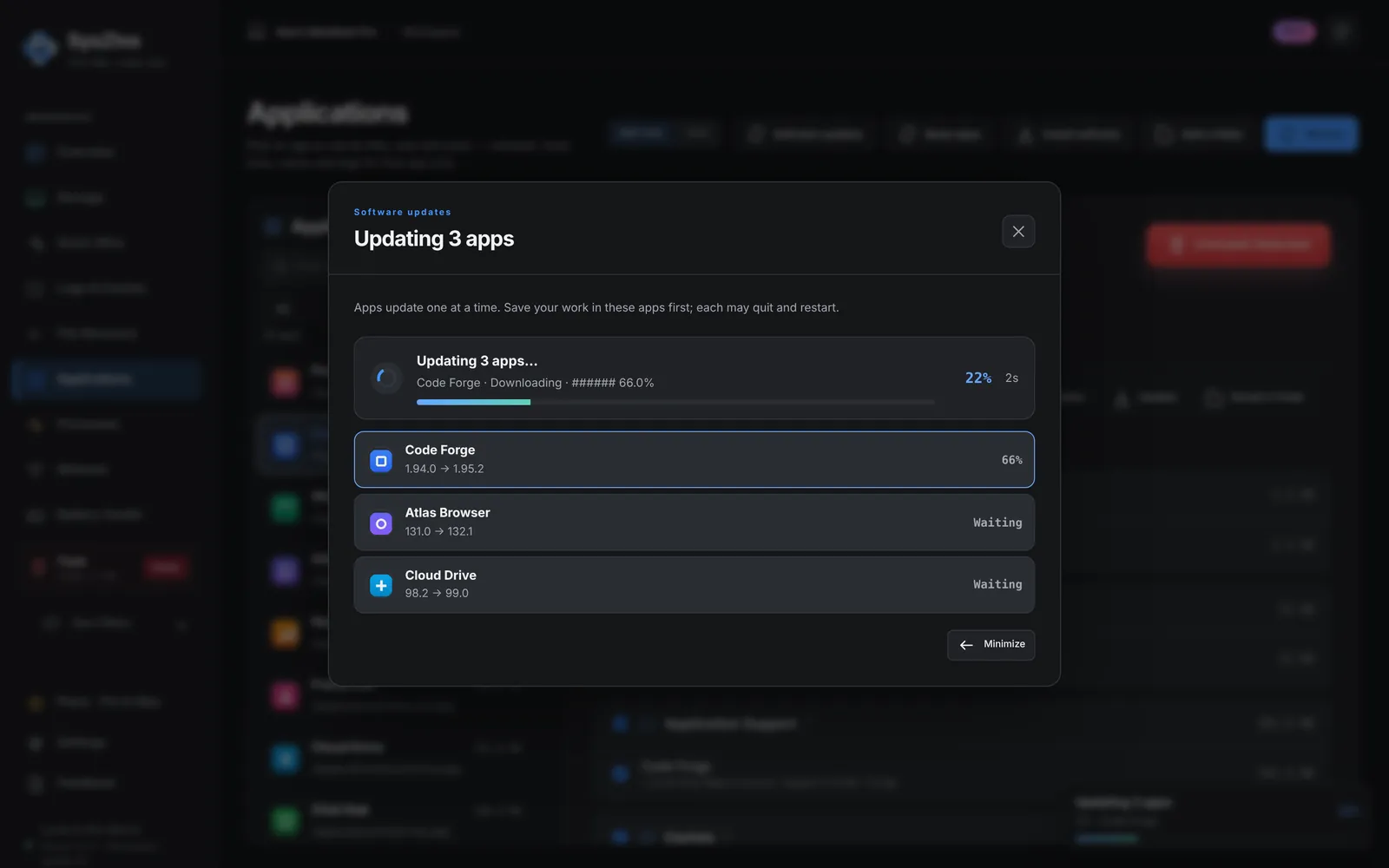
See which apps have an update, then update one at a time or all together. A clear progress card shows what is downloading, what is waiting and how long is left. Minimize it and keep working.
Pro covers up to 2 Macs and Lifetime up to 3. See plans
CPU, memory, disk and battery readings that update live, with Line, Bars and Area views.
Full Disk, Home and Custom scans with a sunburst, folder tree and large-file results, plus 12 developer filters for Node.js, Xcode, Docker, VMs and more.
Package caches, build output and forgotten big files labelled Safe, Caution or Manage in app. Remove them to the Trash and put them back from Cleanup history.
Every log and cache on the Mac with sizes. Everyone can look; Pro does the cleaning.
All your apps with their real icons. Uninstall with a reviewed file list, reset to defaults, tune background CPU, clear caches and check for updates. Apple apps are protected.
See what is running, then quit, force quit or lower the priority of eligible processes after review.
Live download and upload in KB/s or MB/s, Wi‑Fi details, speed test, ping, DNS and traceroute.
Charge, health, power history and which apps use the most energy.
Plain answers on what fills System Data, which apps slow the Mac or drain the battery, security and permissions, and network health.
Find deleted files in every Trash and your Time Machine backups, preview them, and copy what you choose to a folder. Deep scan of USB and SD drives Coming soon
Pick the apps, choose full, incremental or differential, and schedule it hourly to monthly. Restore any snapshot to a new folder or back in place.
Desktop workspace
Tools run on your Mac. Website visualizations use labelled example data.
Search names and paths in a chosen folder. Combine filters like video >100mb or pdf week. Open with ⌘F.
Review dependencies, Xcode data, build artifacts, Docker disks, media and caches. Measurements that reach limits are labelled partial.
Add exact paths from search, maps or developer results. Confirm only the selected files for Trash. Changed files are rejected.
Local Vision OCR proposes readable names for screenshots. Preview each suggestion; existing filenames are never overwritten.
Create local extension and filename rules, preview matches and apply Finder tags while preserving existing tags.
Native volume information and S.M.A.R.T. status when exposed. Verify filesystems and open First Aid in Disk Utility.
Bad-sector surface scans, physical disk repair and per-app GPU utilization are not offered, and files already erased by TRIM on an internal SSD cannot be recovered by any app. Missing metrics are shown as unavailable — never invented.
Scans report logical file sizes. Permissions and cancellation can make a scan partial, and sysZivo tells you when it is.
Get started
Download sysZivo for Mac and see your storage, apps and live resources with clarity. Free to start. Try Pro, Face Unlock included, for 14 days for €1; Pro is €19.99 a year.