
Can my face unlock my Mac?
Face Unlock recognises you on this Mac only and types your password at the lock screen. Your face and password stay on the Mac, encrypted. A Pro and Lifetime feature. Learn more
Storage & system app for macOS
sysZivo maps every folder by size, explains the grey “System Data” bar, and shows which apps slow your Mac down. You see exactly what each item is before anything is removed — and every cleanup goes to the Trash, so you can put it back.
Free plan · no account needed to scan · Apple silicon and Intel
Each tool answers one plain question and tells you what is safe to change. Nothing is deleted without your say.
Face Unlock recognises you on this Mac only and types your password at the lock screen. Your face and password stay on the Mac, encrypted. A Pro and Lifetime feature. Learn more
A storage map of your home folder, the whole disk or any folder you pick, with real folder sizes. Click a block to open its subfolders.
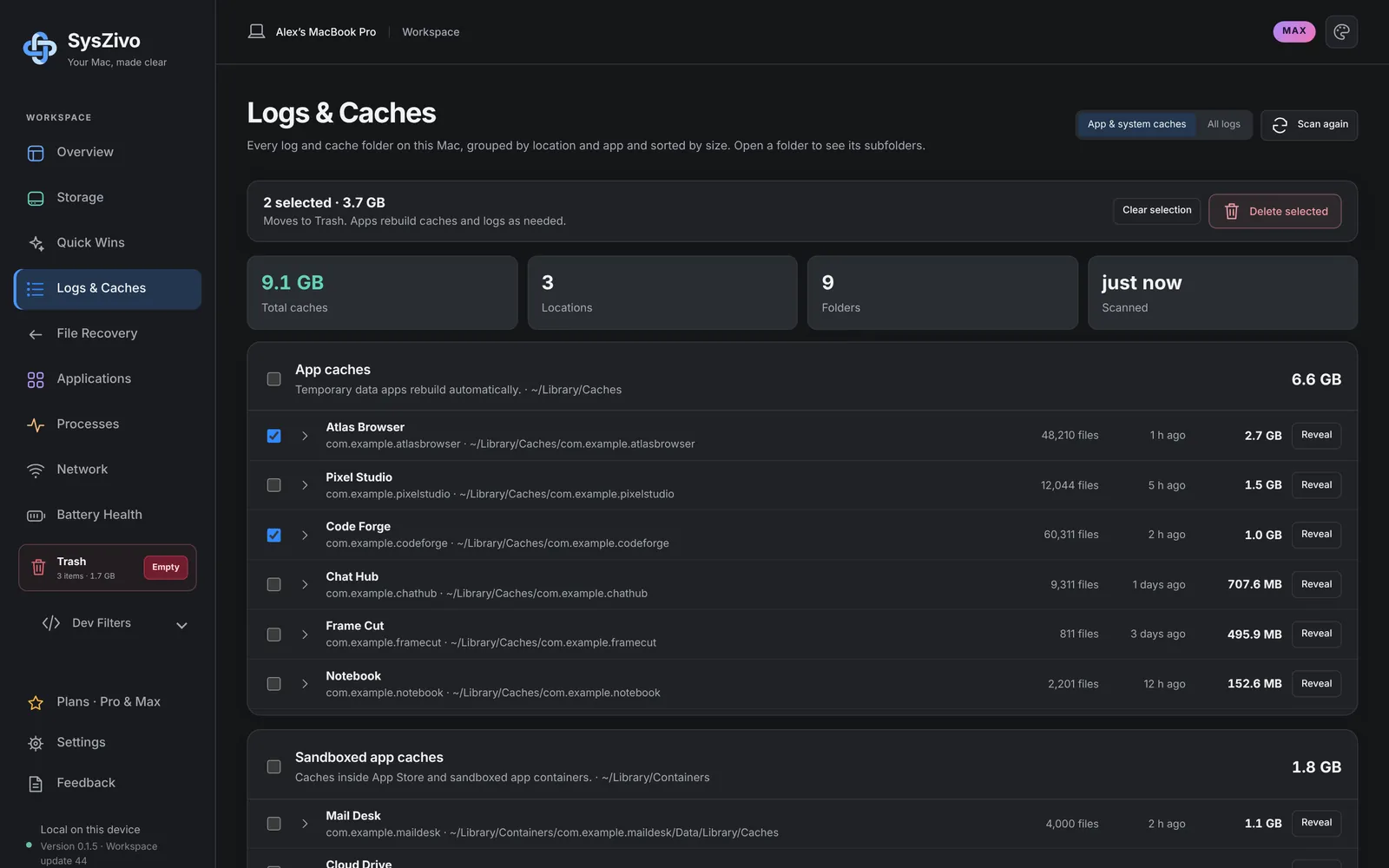
Every log and cache folder on the Mac, grouped by app and sorted by size, with how old it is. Remove what you choose; apps rebuild their caches.
Dev Filters find Xcode DerivedData, simulators, node_modules, build folders, Docker and package caches across your projects — in 12 categories.
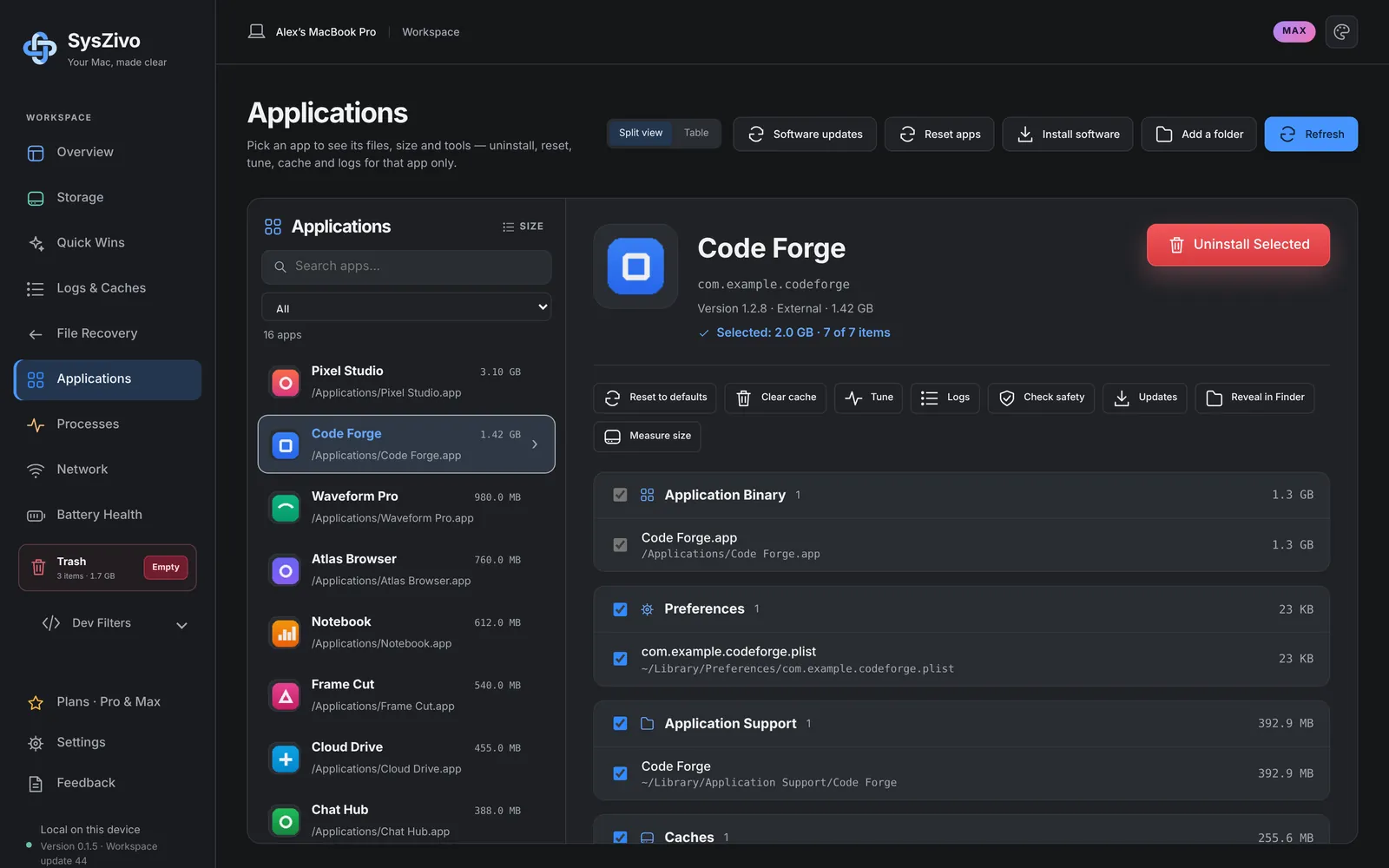
See an app’s preferences, containers, caches and login items before you uninstall. Reset an app to fresh settings, or update apps in one place.
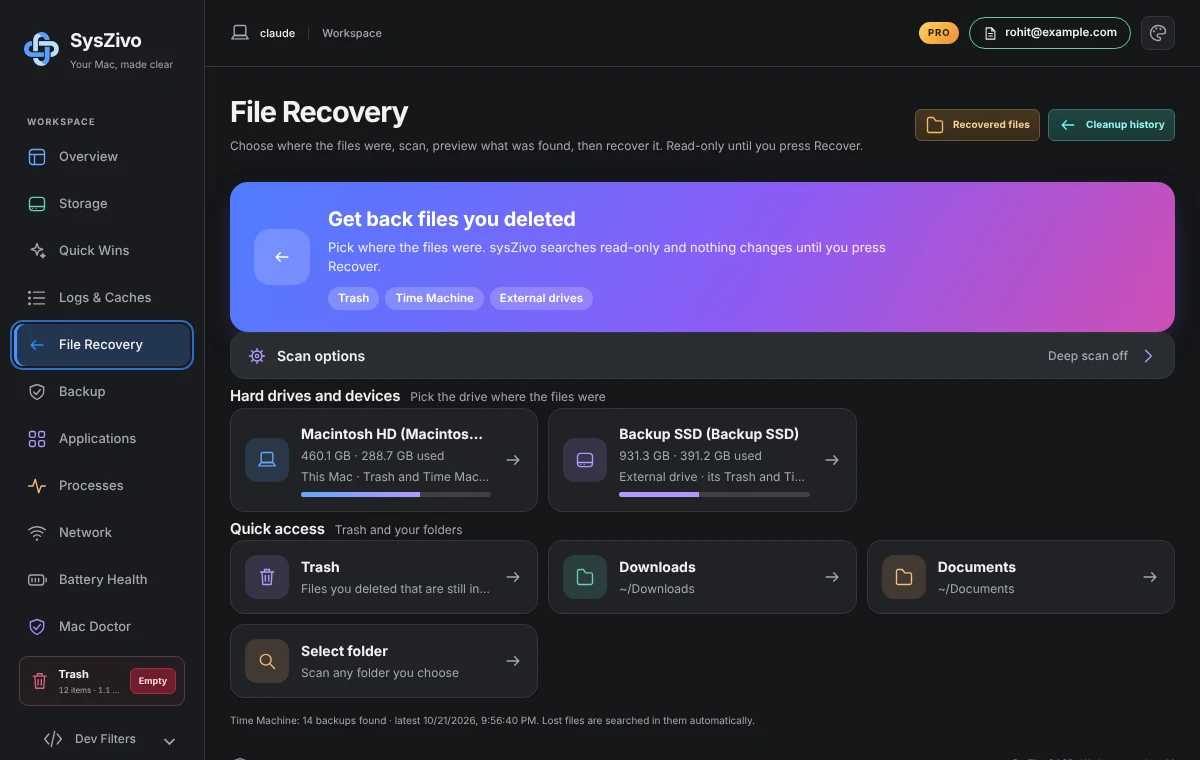
File Recovery searches every Trash and your Time Machine backups, shows a preview, and copies what you pick to a folder. Deep scan of drives is coming soon.
Live CPU, memory, disk, network and GPU readings, battery health and charge history, and which apps worked hardest while you were on battery.
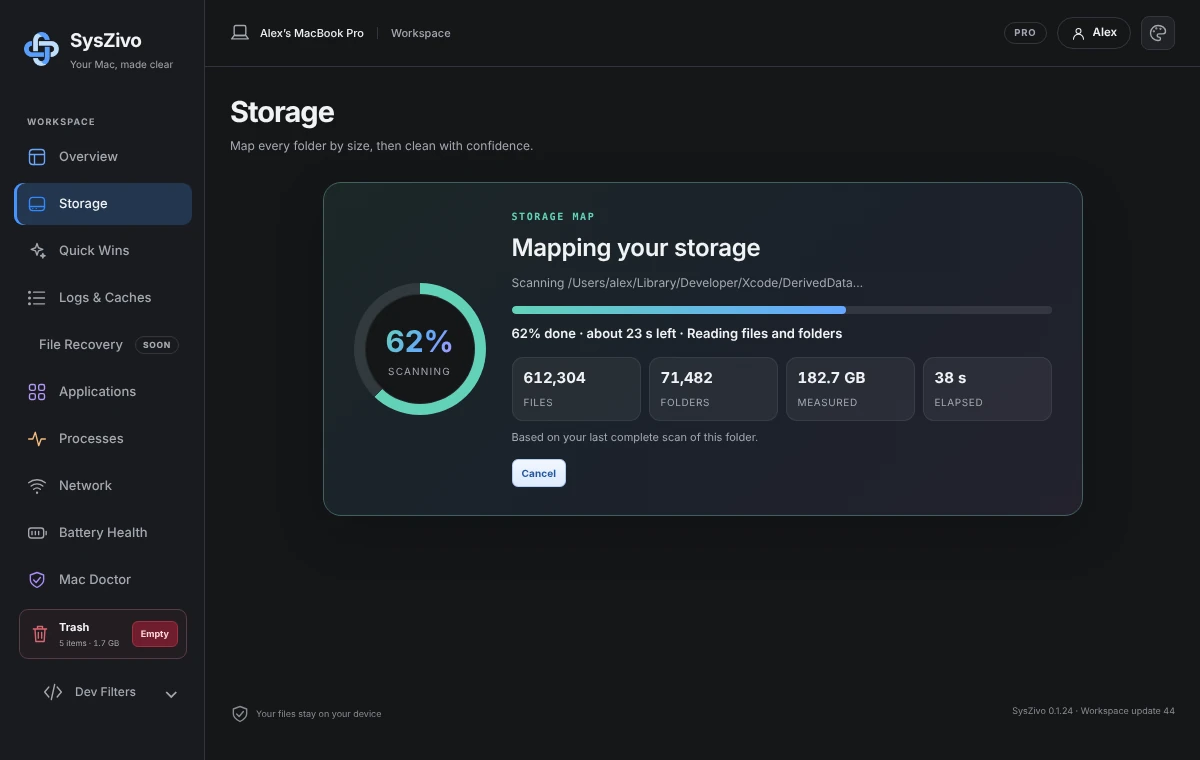
Storage map
A live percentage, the time left and running counts of files, folders and size. The map is saved, so the next time you open it, it appears at once.
Logs & caches
Caches, crash reports and app logs, measured and grouped by app. Anything you remove goes to the Trash with a receipt, so you can put it back.
File Recovery
Pick the Trash, a drive or a folder, preview what was found and copy it to a folder you choose. The search is read-only, so nothing changes until you press Recover.
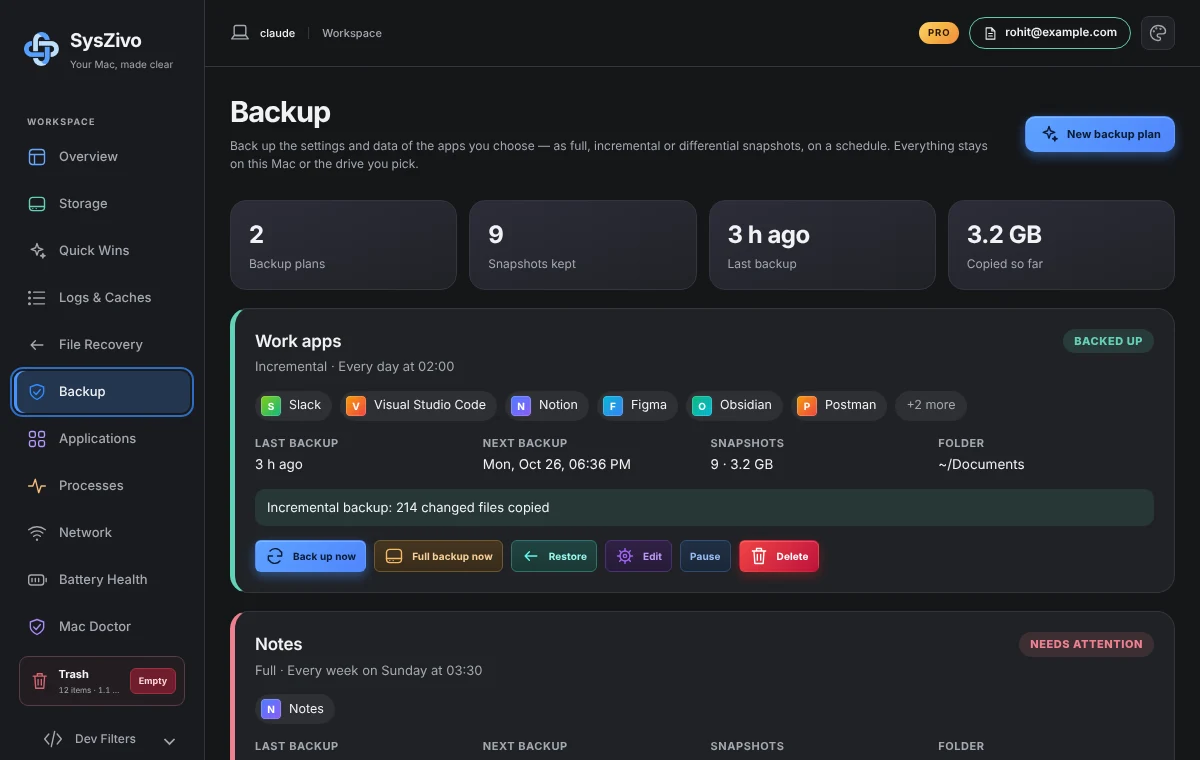
Backup
Choose the apps, a type and a schedule. sysZivo copies each app’s settings and data to a folder or drive you pick, and any snapshot restores on its own.
Applications
Open any app to see its binary, preferences, containers, caches and login items with exact paths. Uninstall, reset to fresh settings or update — from one screen.
Mac Doctor
Eight checks that read your Mac and explain the result in everyday words, with the fix next to it.
What the grey bar is made of, and which parts are safe to clear.
The app or setting actually causing slowness or drain.
CPU, memory, battery work and permissions for every app.
macOS protections, untrusted apps and suspicious startup items.
Who can use your camera, screen or files — and remove access.
Apps and plug-ins that still need Rosetta.
Index health, a test search and a rebuild when needed.
Where the connection breaks: Wi‑Fi, router, DNS, VPN or filter.
Scans run locally. File names and contents are never uploaded. There is no advertising or tracking inside the app.
Plans
Every scan and report is free. Paid plans add the actions that change your Mac. Pro is yearly or monthly. Prices exclude tax. Pro covers up to 2 Macs, Lifetime up to 3.
See everything on your Mac.
No account or card needed
Download freeEverything sysZivo can do, on up to 2 Macs.
€29.99 €19.99 billed yearly
Excl. tax · one payment for 12 months
Get Pro yearlyPay once. Every feature and every future update.
Excl. tax · no renewals, ever
Get LifetimeMac storage guides
No. Scans only read. Nothing is removed until you choose it, and removed items go to the Trash so you can restore them.
It is a mix of caches, logs, Time Machine local snapshots, app support files and virtual machines. Mac Doctor measures each part and marks which ones are safe to clear.
Face Unlock lets you unlock your Mac with your face on macOS 15 or newer. Your face data and password stay on your Mac, encrypted, and are never uploaded. It is a Pro and Lifetime feature, not part of the Free plan. See how it works.
Pay €1 once and use every Pro feature, Face Unlock included, for 14 days. It does not renew by itself. If you choose a plan, the €1 is taken off its price. Trial and cancellation.
Yes. Free shows everything — every scan, the storage map, Dev Filters, Logs & Caches, Applications and all Mac Doctor checks. Changing things (cleaning, uninstalling, stopping apps, app tuning and app updates) is Pro.
Not for the Free plan. An account is only needed to activate Pro on your Mac. Sign in from Settings → Account and your plan switches on — no license keys to copy.
Yes, in part. File Recovery searches every Trash and your Time Machine backups, shows a preview, and copies what you choose to a folder. Deep scan of drives is still coming soon. Anything sysZivo removes goes to the Trash with a receipt, so you can put it back. For older loss, a Time Machine backup is still your best chance.
No. Scans and recovery run locally. File names and contents are never uploaded. Only the metrics you choose to sync appear on your web dashboard.
Download, open and run your first scan. No account, no card.